
Too many licenses
Employees come and go, but licenses stay active. You keep paying month after month for accounts that have not been used in ages.
Microsoft 365 & license management
How many Microsoft 365 licenses does your organisation actually have? Who uses which plan? And when does it renew? Licenzy gives you the overview that the Microsoft admin portal cannot.
The problem
Microsoft 365 is essential for most organisations, but keeping track of it quickly becomes a mess.
Employees come and go, but licenses stay active. You keep paying month after month for accounts that have not been used in ages.
Microsoft renews automatically. By the time the invoice arrives the budget is already spent — without anyone approving it first.
IT knows what is in the admin portal, but finance has different numbers. Nobody has the complete picture.
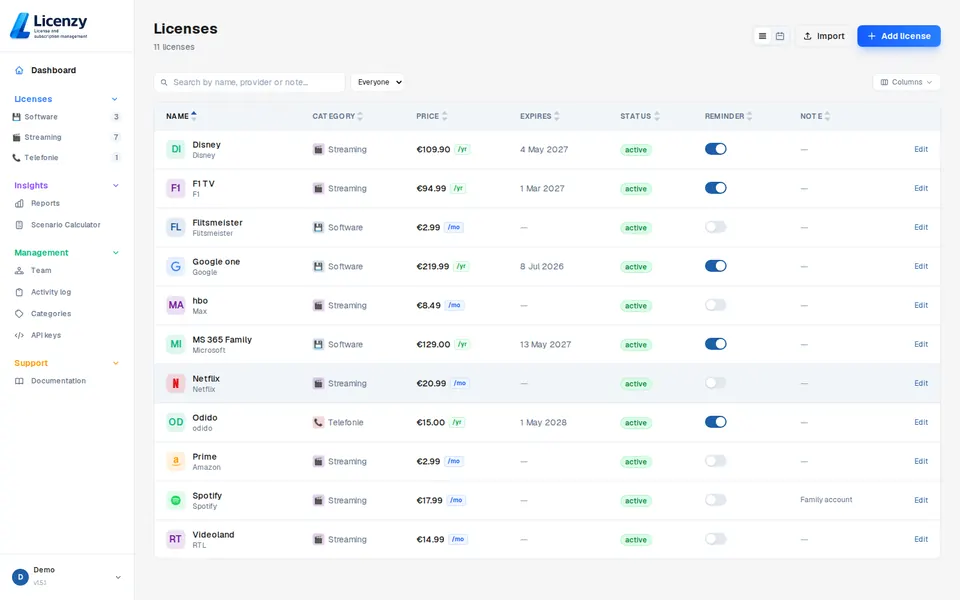
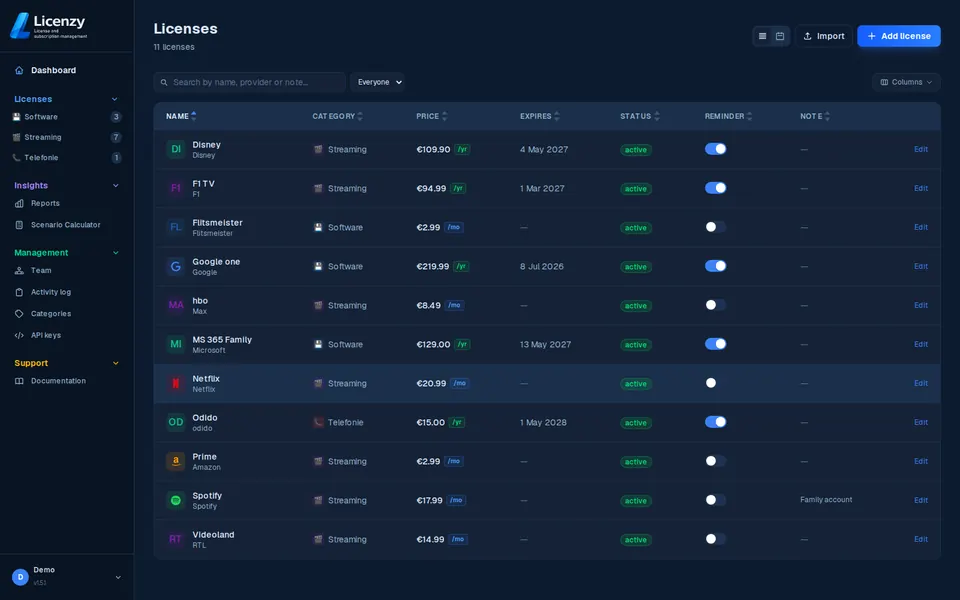
Add your Microsoft 365 subscriptions to Licenzy — including the plan type, monthly or annual cost and renewal date. You see at a glance what you are paying and when.
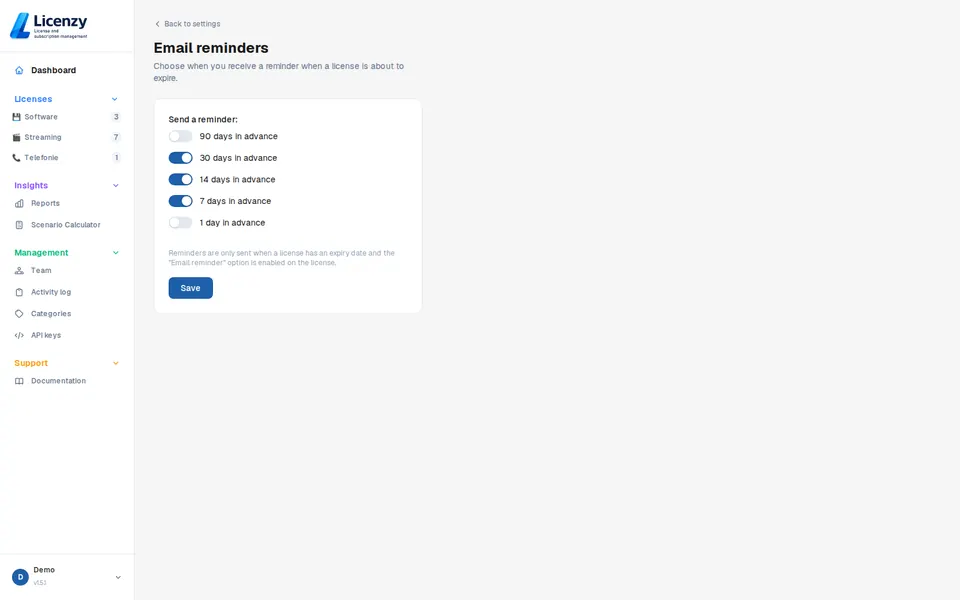

Set how many days before renewal you want to be notified. That gives you time to decide: renew, downgrade or cancel — without being caught off guard.
Available in Solo and above
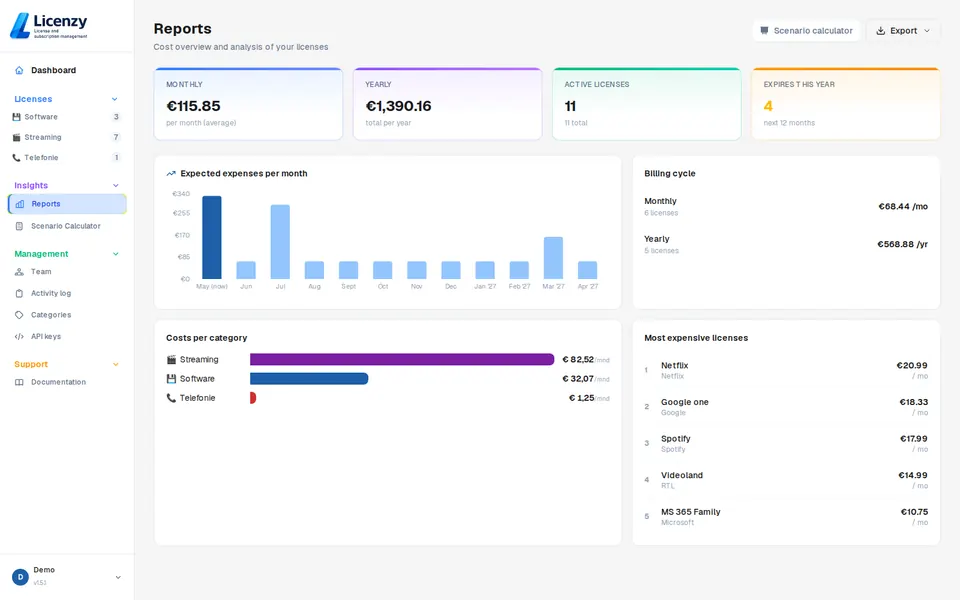
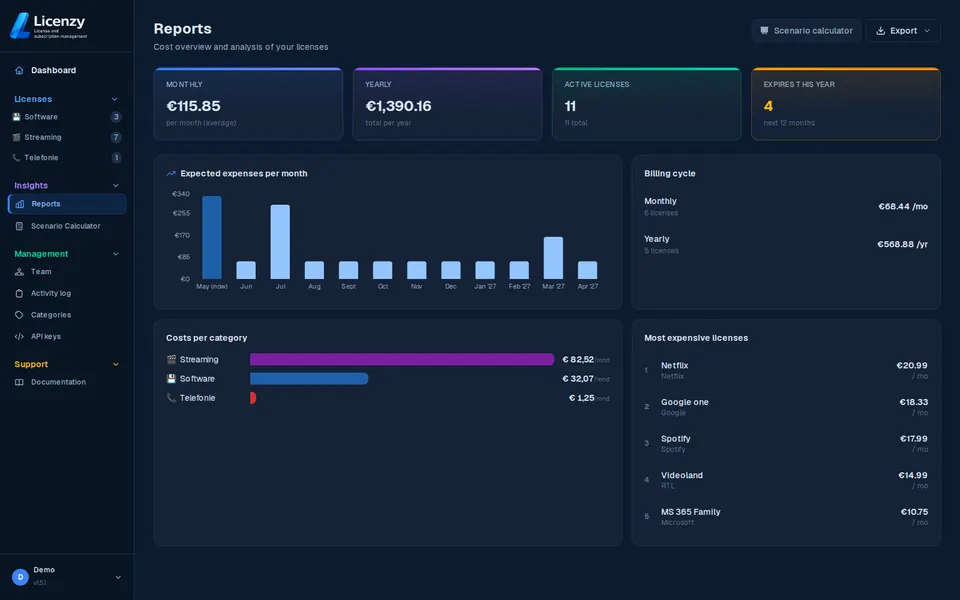
Licenzy reports show exactly what your organisation spends on Microsoft licenses, broken down by category and period. That makes budget conversations much simpler.
Available in Solo and above
How to get started
No credit card required. You get instant access to the dashboard and can start straight away.
Enter the plan type, cost and renewal date for each Microsoft 365 license. It takes less than five minutes.
Choose when you want to be notified — 30, 14 or 7 days before renewal. Licenzy handles the rest.
Start free and get a clear overview of all your Microsoft 365 licenses in minutes.